User Management
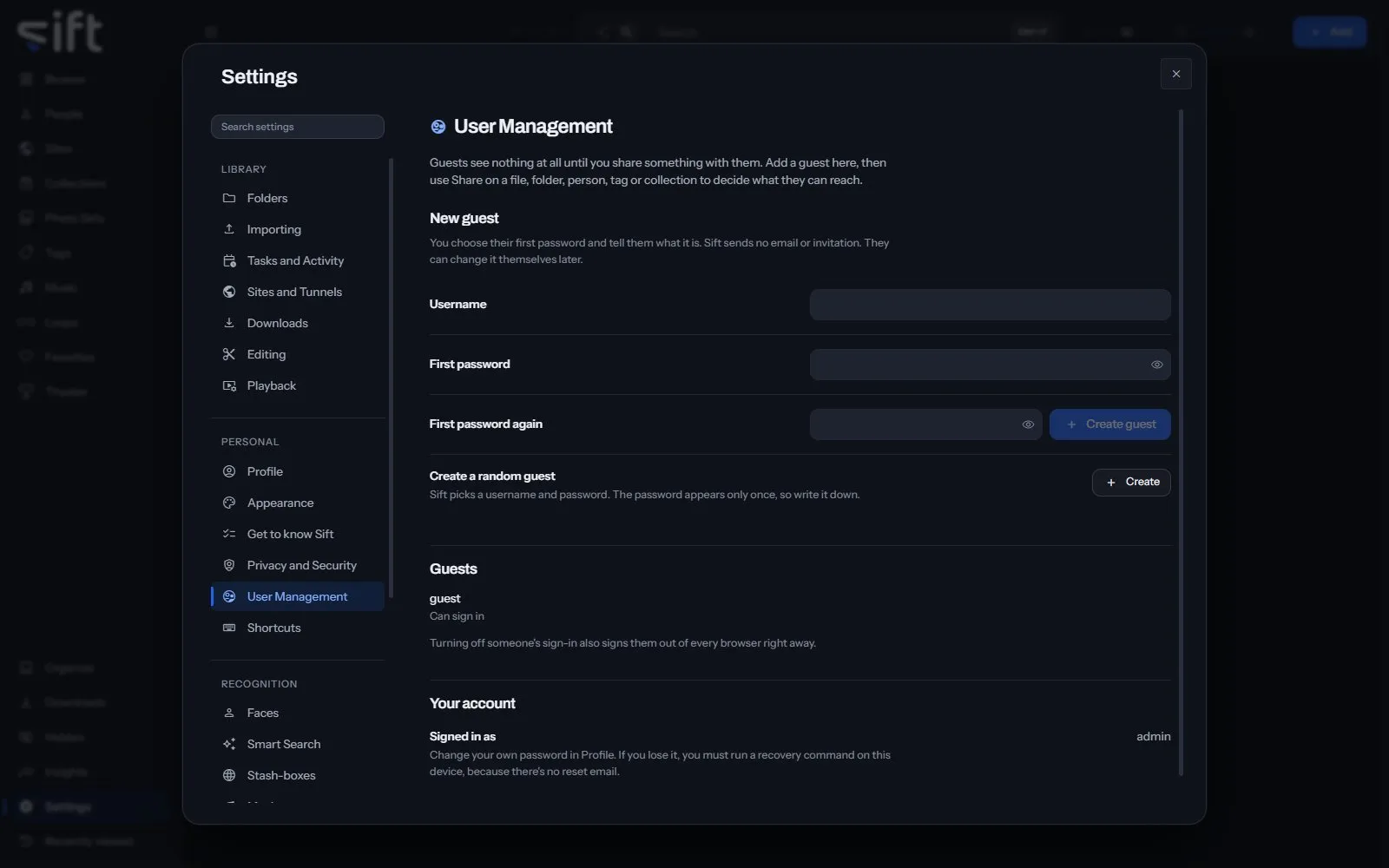
User Management is where an admin adds guests and turns their sign-in on or off. To open it, go to Settings > User Management.
Come here to add a guest. A guest sees nothing until you share something with them, with Share on a file, folder, person, tag or collection.
On this pane
Section titled “On this pane”Nothing on this pane is a stored setting. It draws these groups, in this order:
- New guest: a Username and a First password, then Create guest. Sift sends no email or invitation, so tell them the password yourself.
- Create a random guest: Create makes a guest with a username and password Sift picks. The password appears only once.
- Guests: one row for each guest, with a switch for whether they can sign in. Turning it off also signs them out of every browser.
- The last group shows your own username. Change your password in Settings > Profile.
Nothing on this pane is a stored setting.