Smart Search
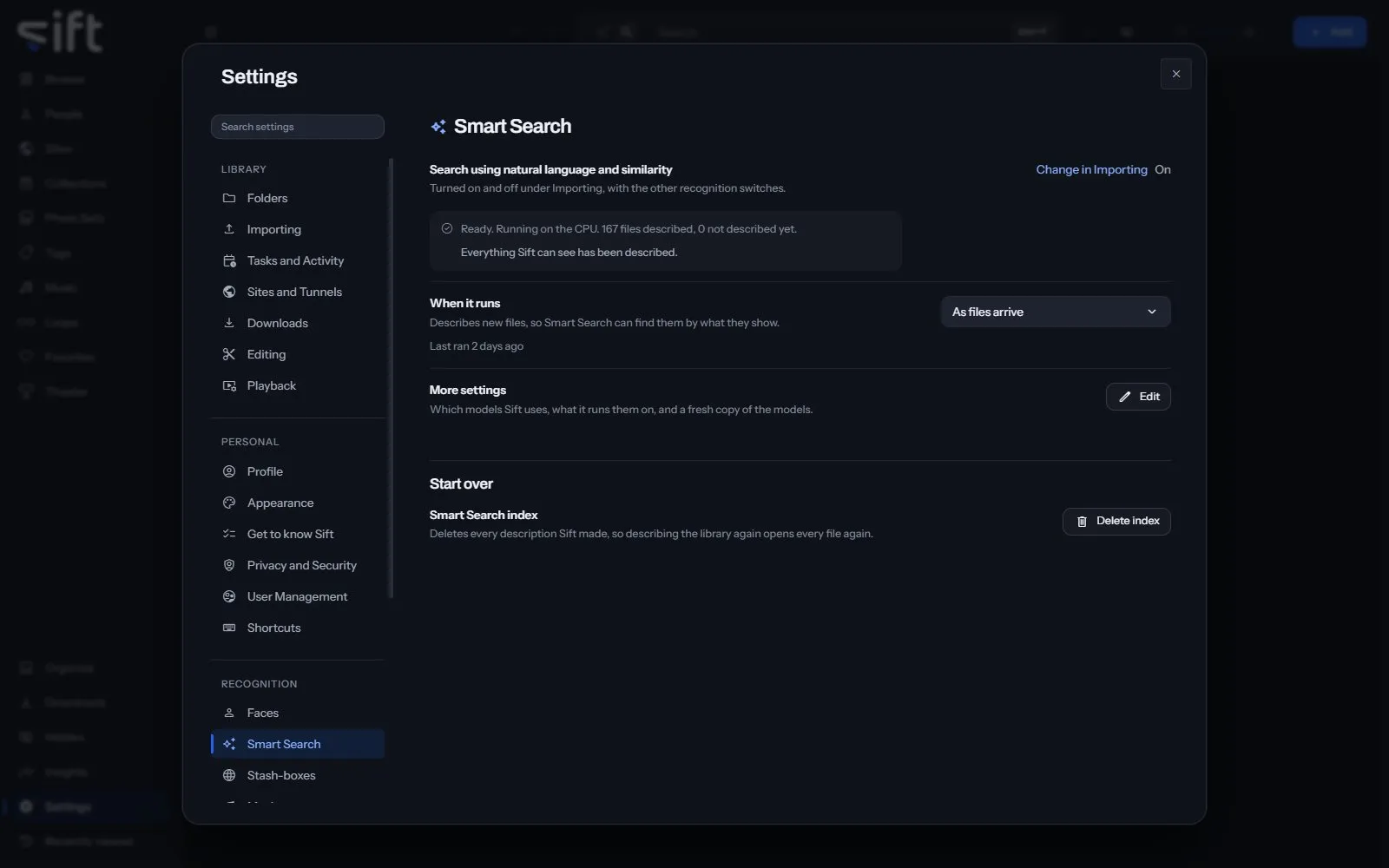
Smart Search lets you search your library in your own words, and for files that look like another. To open its settings, go to Settings > Smart Search.
Come here to see how many files Sift has described, or to choose the models and what they run on. Sift describes your files with SigLIP 2, on your computer.
On this pane
Section titled “On this pane”The first rows have no heading: the switch, how many files are described, when it runs, and More settings. The switch is turned on and off in Settings > Tasks and Activity > Import tasks > Identify settings. Then the pane draws one group:
- Start over: delete every description Sift made.
Rows the pane draws by hand
Section titled “Rows the pane draws by hand”- More settings: Edit opens which models Sift uses, what it runs them on, and a fresh copy of the models. A download that can’t connect shows why and what to check. It uses the proxy set in Windows, or in
HTTPS_PROXY. A proxy set by an automatic configuration script isn’t read. - Smart Search index: Delete index deletes every description Sift made, so describing the library again opens every file again.
Every setting
Section titled “Every setting”Search using natural language and similarity
Section titled “Search using natural language and similarity”Search your library by describing what you want, and see files that look alike. A small AI model runs on this device.
Sift ships no search models. When you choose Download the models, Sift downloads the default set, SigLIP 2 (base, patch16-224), from the onnx-community repository on Hugging Face. The download is about 382 MB.
- Path: Settings > Smart Search > Search using natural language and similarity
- Default: Off
- Who sets it: an admin, for everyone on this Sift
Description models
Section titled “Description models”Compact is quicker and smaller. Full is more precise on a large library of similar-looking files.
Compact is a 380 MB download and describes a picture in about a tenth of a second. Full is 1.5 GB and about half again as slow. Both found the right answer in every test; Full ranks it further ahead, which matters on a large library. Changing models describes every file again, because the two models’ results can’t be compared.
- Path: Settings > Smart Search > Description models
- Default: Compact
- Choices: Compact, Full
- Who sets it: an admin, for everyone on this Sift
Run descriptions on
Section titled “Run descriptions on”Sift uses the CPU unless you choose a GPU. You can’t choose a GPU Sift can’t reach.
Sift ships the CPU-only build of its model runtime, so the GPU can’t be used until the GPU’s own runtime is added. Sift can download it under GPU in Settings > Performance. It’s about 1.3 GB, downloaded once and stored next to your libraries, so an update doesn’t remove it and a new library needs nothing. It needs an NVIDIA GPU and a current driver, and nothing else installed by hand.
- Path: Settings > Smart Search > Run descriptions on
- Default: CPU
- Choices: CPU, GPU
- Who sets it: an admin, for everyone on this Sift