Profile
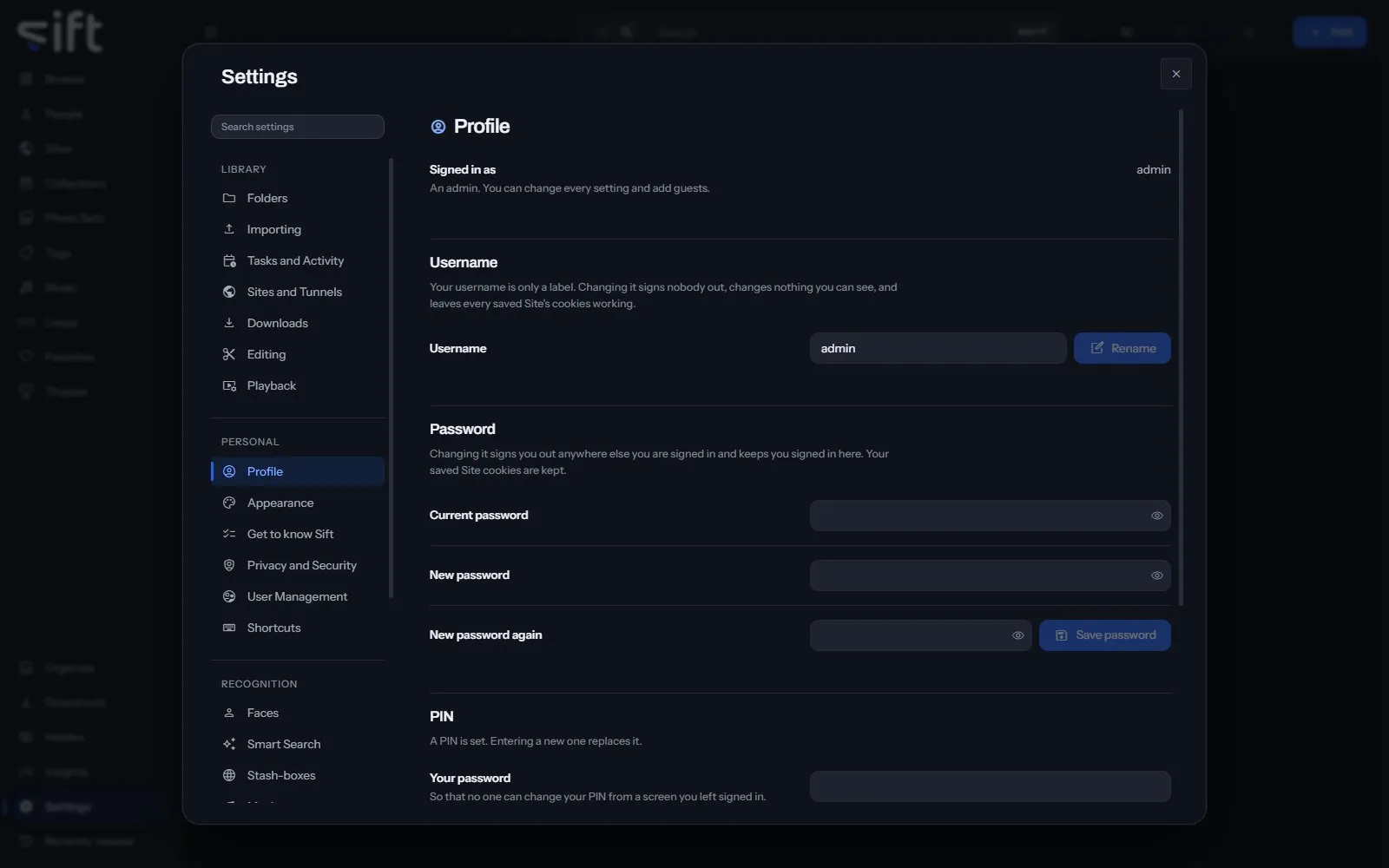
Profile is where you change your own username, password and PIN, and sign out. To open it, go to Settings > Profile.
Come here to change your password or set the PIN that unlocks Hidden. Every User has a Profile, guests included.
On this pane
Section titled “On this pane”Nothing on this pane is a stored setting. It draws these groups, in this order:
- Signed in as: your username, and whether you’re an admin or a guest.
- Username: your username is only a label. Rename changes it, and nobody is signed out.
- Password: enter your current password and the new one twice, then choose Save password. You stay signed in here and are signed out everywhere else.
- PIN: six digits that unlock Hidden, and a locked Sift. Enter your password and the new PIN, then choose Save PIN.
- Sign out: Sign out signs this browser out. Anywhere else you’re signed in isn’t affected.
Nothing on this pane is a stored setting.