Editing
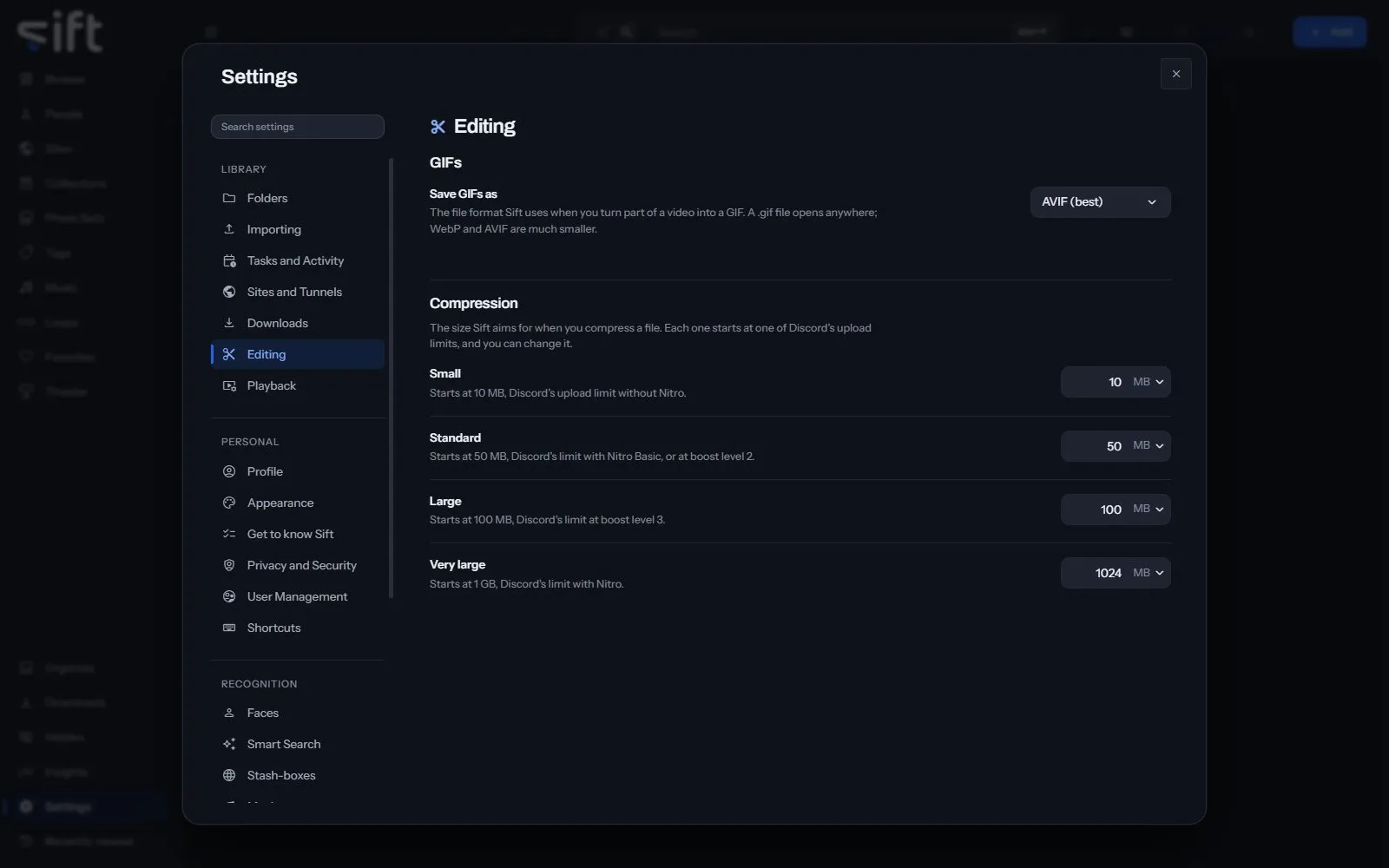
Editing is where you choose the format of a GIF you make and the sizes Sift compresses a file to. To open it, go to Settings > Editing.
Come here to change the size a compression preset aims for. Each preset starts at one of Discord’s upload limits, and you can change it.
On this pane
Section titled “On this pane”The pane draws two groups:
- GIFs: the file format of a GIF you make from part of a video.
- Compression: the four sizes, Small, Standard, Large and Very large, that Compress offers on a file.
Every setting
Section titled “Every setting”Save GIFs as
Section titled “Save GIFs as”The file format Sift uses when you turn part of a video into a GIF. A .gif file opens anywhere; WebP and AVIF are much smaller.
- Path: Settings > Editing > Save GIFs as
- Default: AVIF (best)
- Choices: GIF (largest), WebP (balanced), AVIF (best)
- Who sets it: an admin, for everyone on this Sift
Starts at 10 MB, Discord’s upload limit without Nitro.
- Path: Settings > Editing > Small
- Default: 10 MB
- Range: 1 to 100000 MB
- Who sets it: an admin, for everyone on this Sift
Standard
Section titled “Standard”Starts at 50 MB, Discord’s limit with Nitro Basic, or at boost level 2.
- Path: Settings > Editing > Standard
- Default: 50 MB
- Range: 1 to 100000 MB
- Who sets it: an admin, for everyone on this Sift
Starts at 100 MB, Discord’s limit at boost level 3.
- Path: Settings > Editing > Large
- Default: 100 MB
- Range: 1 to 100000 MB
- Who sets it: an admin, for everyone on this Sift
Very large
Section titled “Very large”Starts at 1 GB, Discord’s limit with Nitro.
- Path: Settings > Editing > Very large
- Default: 1024 MB
- Range: 1 to 100000 MB
- Who sets it: an admin, for everyone on this Sift